Step 1 - Log into your Client Area
Step 2 - Click on Domains.
Step 3 - Click on the Domain you want view the EPP / Auth code for.
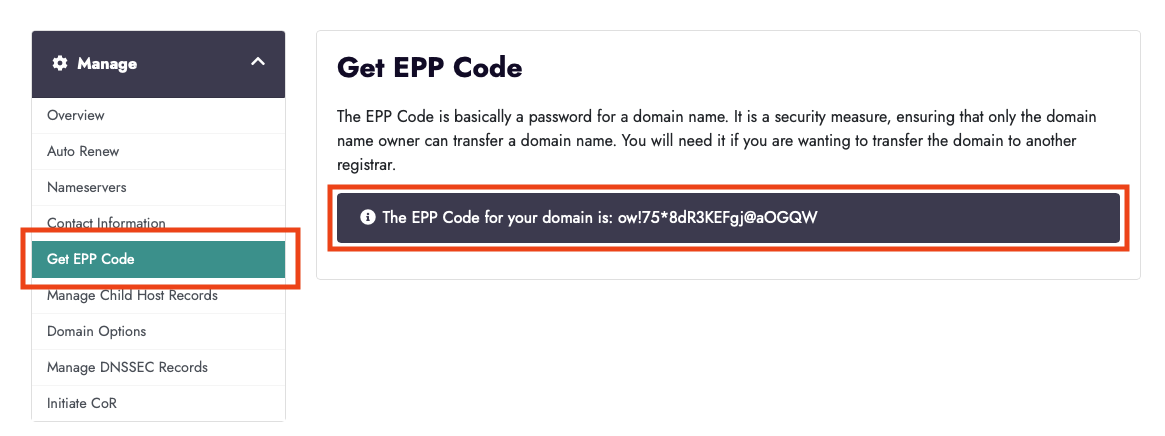
Step 4 - Click on 'Get EPP Code'
Step 5 - The EPP will be displayed on the next screen
Please be advised that the 'EPP Code' is often referred to as the Domain Password, Auth code, transfer code or UDAI code.
Due to the vast range of extensions we offer, and to the differences in transfer procedures and API integration between these extensions, transfer procedure may be different - If you have any questions simply contact us via email and we can provide the necessary information or instructions.