Step 1 - Log into your Client Area
Step 2 - Click on Domains.
Step 3 - Click on the Domain you want to update the contacts for
Step 4 - Click on 'Contact Information'
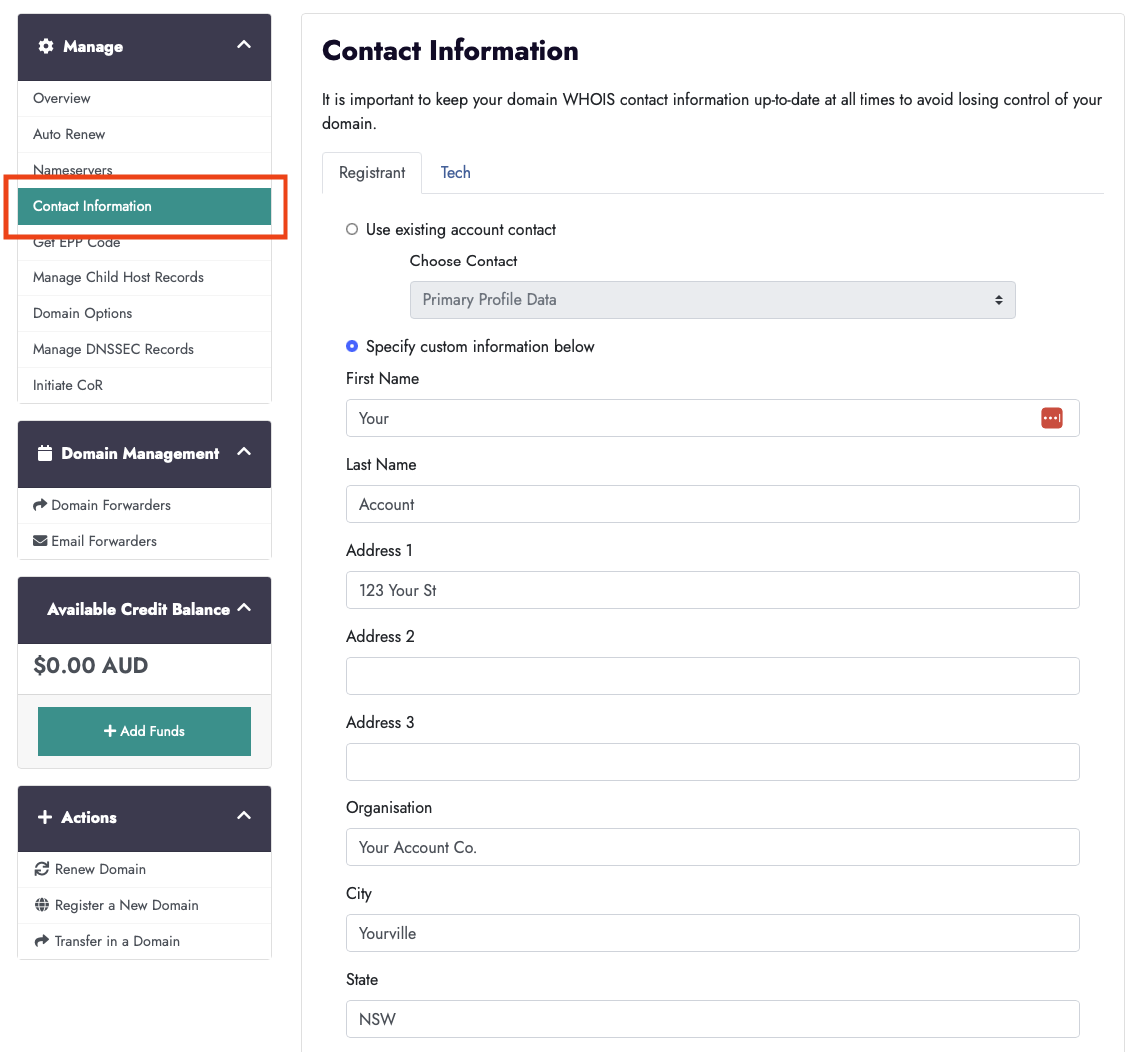
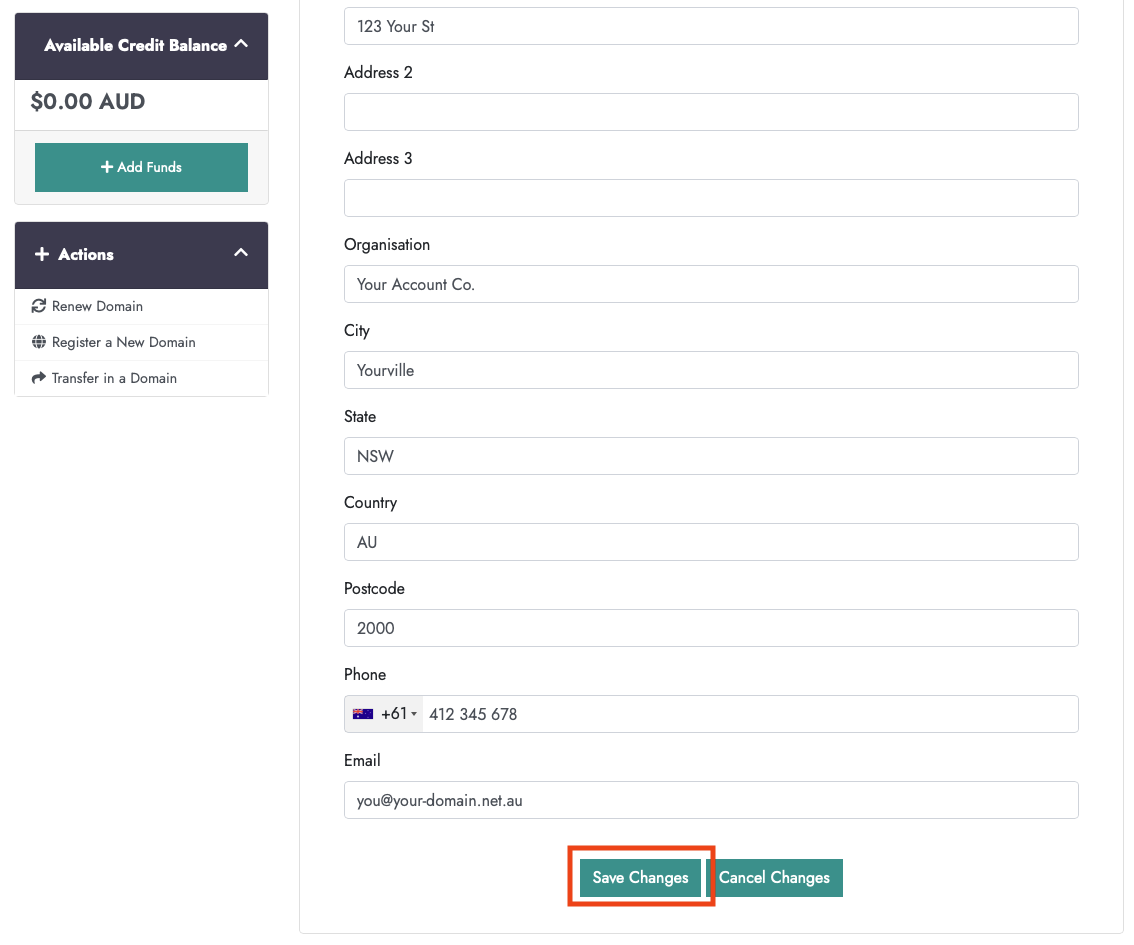
Step 5 - Edit the required information and 'Save Changes'
Notes:
No fields can be left blank.
'.au' domains only require Registrant and Tech contacts, so will not need to enter to enter Billing and Admin contact details.
For .au domains there is a separate process for updating your ACN/ABN/TM and legal Registrant details, this can be seen here.